
Salon Front Desk Communication Without Shouting Across the Floor
Every busy salon has the same sound. A technician in the middle of a set calls across the room to the front desk. The client wants a coffee. The next client is asking about the time. The receptionist is on the phone and does not hear it. Someone walks off the floor to ask in person, and the chair sits with a half-finished service.
That is a front desk communication problem, and it is easy to miss because it does not belong to the appointment book. Booking tools manage the appointment. A POS manages checkout. The few minutes in between, when the station needs something from reception, usually live in shouting, hand signals, or a group chat nobody reads during a rush.
What a floor request is
Fair Flow has a feature built for exactly that gap: floor requests. A technician can signal the front desk from the chair without walking over. The request goes from the station to reception. That includes an order for the restaurant, so a client's lunch or drink order does not depend on someone remembering it on the way to the desk.
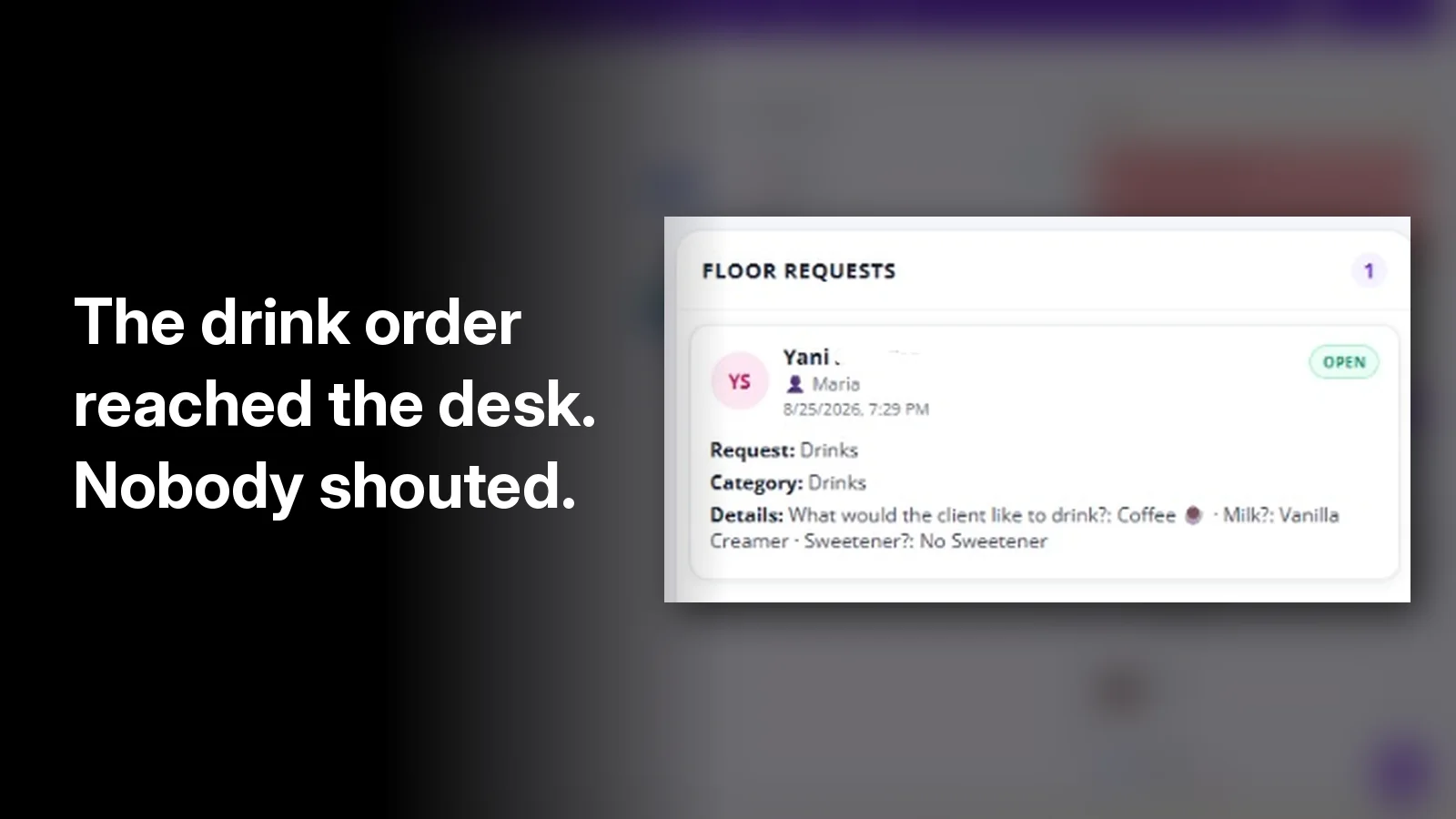
In the LIVE view pictured above, a floor request sits in its own column. It shows who sent it, the client it is for, what is being asked, and that it is still open. In that example it is a drink order, with the client's choice of coffee, creamer, and sweetener written out, so reception does not have to walk back and ask.
Why it sits next to the queue and the tickets
A floor request is not useful in a separate app. Reception is already watching the walk-in line and the open services. In Fair Flow, the same live view shows:
- The queue. The nail salon turn system shows who is Available, who is In Service, and who is on hold. Clients do not see their place in line. The queue is for the team inside the salon.
- Tickets. A digital ticket opens with the service. Staff send it from their phone, reception sees the amount for each service, and management sees which ticket is still open.
- Floor requests. What the station needs from the desk, right now.
- Notes and chat. A note for the next shift and the team chat sit in the same view.
The point is that the front desk looks in one place. The turn order, the open tickets, and the request from station four are on the same screen, not spread across a whiteboard, a register, and three phones.
What changes on a busy floor
Floor requests are a small feature. The effect on a Saturday is not small.
- Technicians stay at the station. The request goes out from the chair, so the service does not stop for a walk to the desk.
- Reception sees requests in writing. An order written into a request is easier to get right than one shouted over a dryer.
- Nothing is lost in the group chat. Team messages and floor requests are separate, so a client's order does not scroll away under a schedule question.
- Managers see the whole floor. The same view that shows the queue and the tickets shows what is still open.
The rest of the floor layer
Floor requests are one part of Fair Flow's operations layer. The rest of the team's day runs in the same place:
- Inbox for employee requests and approvals: vacation, a late start, an early leave, or a schedule change. When an admin approves vacation, that time is blocked on the schedule.
- Tasks for opening, closing, and recurring duties.
- A time clock tied to the schedule. The owner sets an early window of 15 or 30 minutes before the shift, and earlier punches stay closed. Clock-in and clock-out take a photo. Clock-in only works from the salon location. A kiosk is there too.
What Fair Flow is not
Fair Flow is not a POS. It does not process client payments or run payroll. It does not replace the booking tool you already use. It runs the inside of the salon while that tool runs the appointment book.
Pricing is simple: $99 a month for the first location, $79 for each additional location, unlimited staff, and a 14-day trial. See pricing, start the 14-day trial, or book a 15-minute demo. More on the platform is on the Fair Flow home page.