
Build it automatically
Create the week from each person's set days and hours and your rules, connected to your business hours.
Features · Schedule
Build the week from your team's set hours and your rules. Approved time off from Inbox is blocked automatically, and the Time Clock keeps clock-ins in line with the shifts you publish.
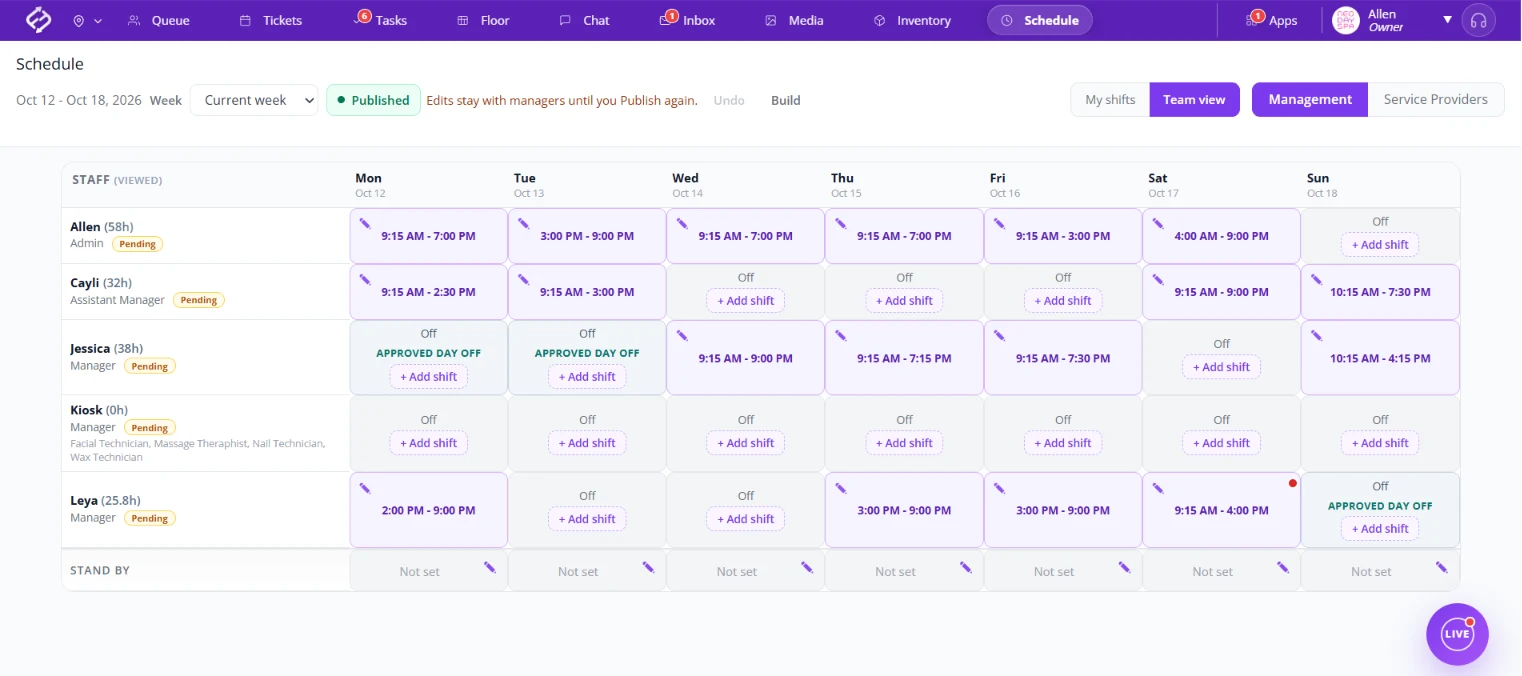
Schedule, Inbox and the Time Clock work together, so a request, a shift and a clock-in all tell the same story. It is staff scheduling software for your team's shifts, not a client booking calendar.
Staff request time off or a late start.
Approved requests are blocked automatically.
Staff clock in on time for the shift you published.
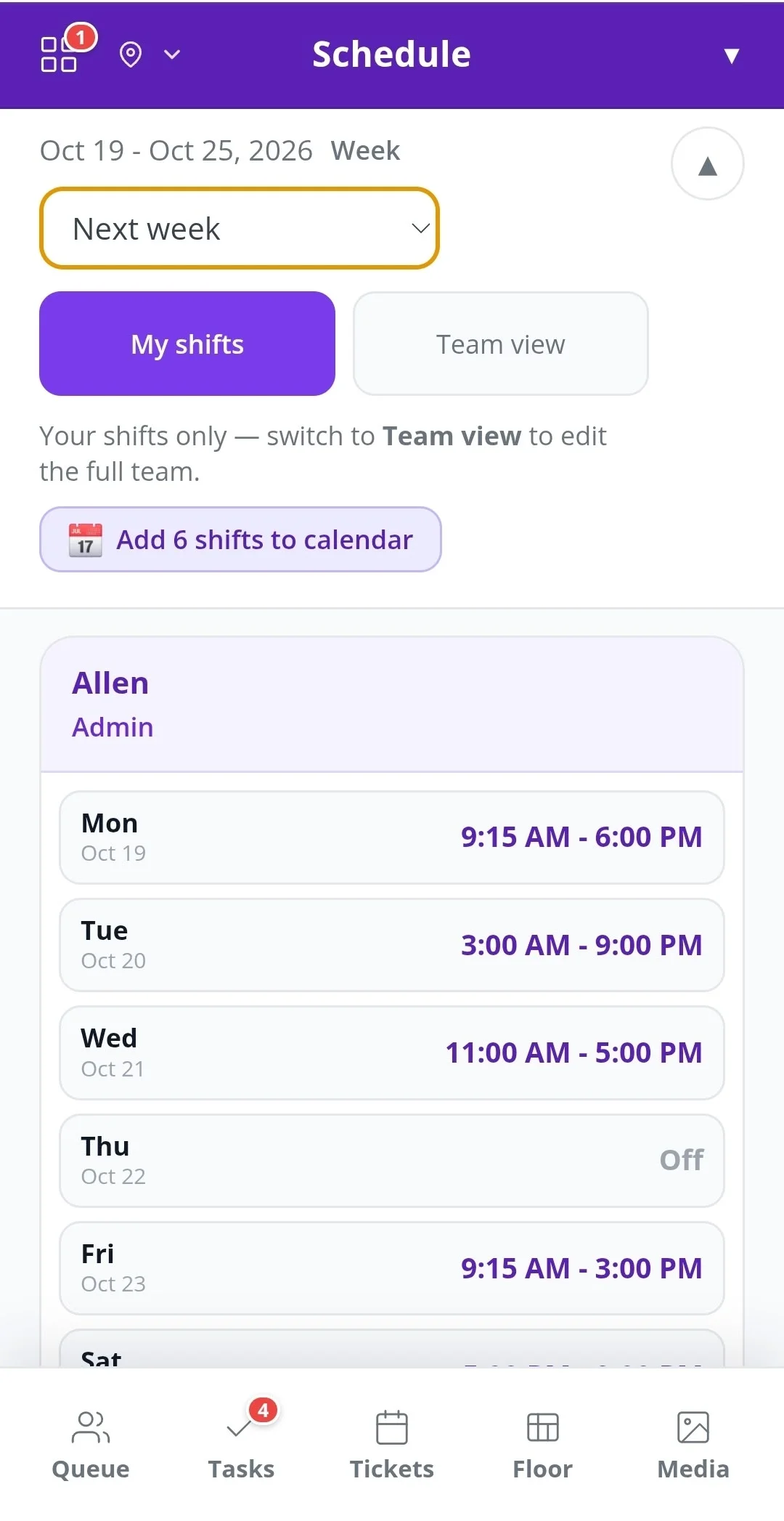
Staff open My shifts on their phone and see their own schedule for this week or next week, without scrolling through the whole team.
One tap on Add shifts to calendar puts their shifts in their personal calendar, so nobody misses a shift.
Create the week from each person's set days and hours and your rules, connected to your business hours.
Shift rules can require a manager or assistant manager, and the build plans around them.
Weekly hours sit next to each name, so you see who is close to overtime before you publish.
Approved days off and late starts from Inbox show on the schedule automatically.
Edits stay with managers until you publish, so you can plan weeks ahead.
Your team sees their shifts on their phone and can add them to their calendar.
Connected to the Time Clock: staff cannot clock in too early before their shift. You set the window.
Click a team member to update their regular days going forward.
A Stand by row shows who is on call for the day.
Add a note to a shift, like a reason or reminder. A red dot shows there is something to read.
Fair Flow is not booking, POS or payroll software. Schedule plans your team's shifts and works alongside the tools you already use. Pricing is $99/month for the first location and $79/month for each additional location.
See also Inbox, Time clock, Queue and Tasks.
Related reading: Salon employee scheduling app, Salon staff scheduling tips, Multi-location salon software.
Yes. Build creates the schedule automatically from each staff member's set days and hours, your shift rules, and your business hours.
Approved days off and late starts from Inbox are blocked on the schedule automatically, so there is nothing to track by hand.
Only after you publish. Until then, edits stay with managers, so you can plan weeks ahead privately.
Yes. Staff see their own shifts on their phone under My shifts, for this week or next week, and can add them to their personal calendar in one tap.
Yes. Staff cannot clock in too early before their shift. You choose the window, for example 15, 20 or 30 minutes.
No. Fair Flow is not booking, POS or payroll software. Schedule plans your team's shifts and works alongside the tools you already use.
No. Schedule plans your staff's shifts. Client appointments stay in the booking tool you already use.
$99/month for the first location and $79/month for each additional location.
We will walk you through Schedule with your team and hours in mind.