
No booking access needed
Your team logs their work in Fair Flow, so you never have to hand out logins to your booking system.
Features · Tickets
Your team logs every service, time and price on a digital ticket in Fair Flow. Your booking calendar stays exactly as the front desk set it, and clients know the price before they walk up to pay.
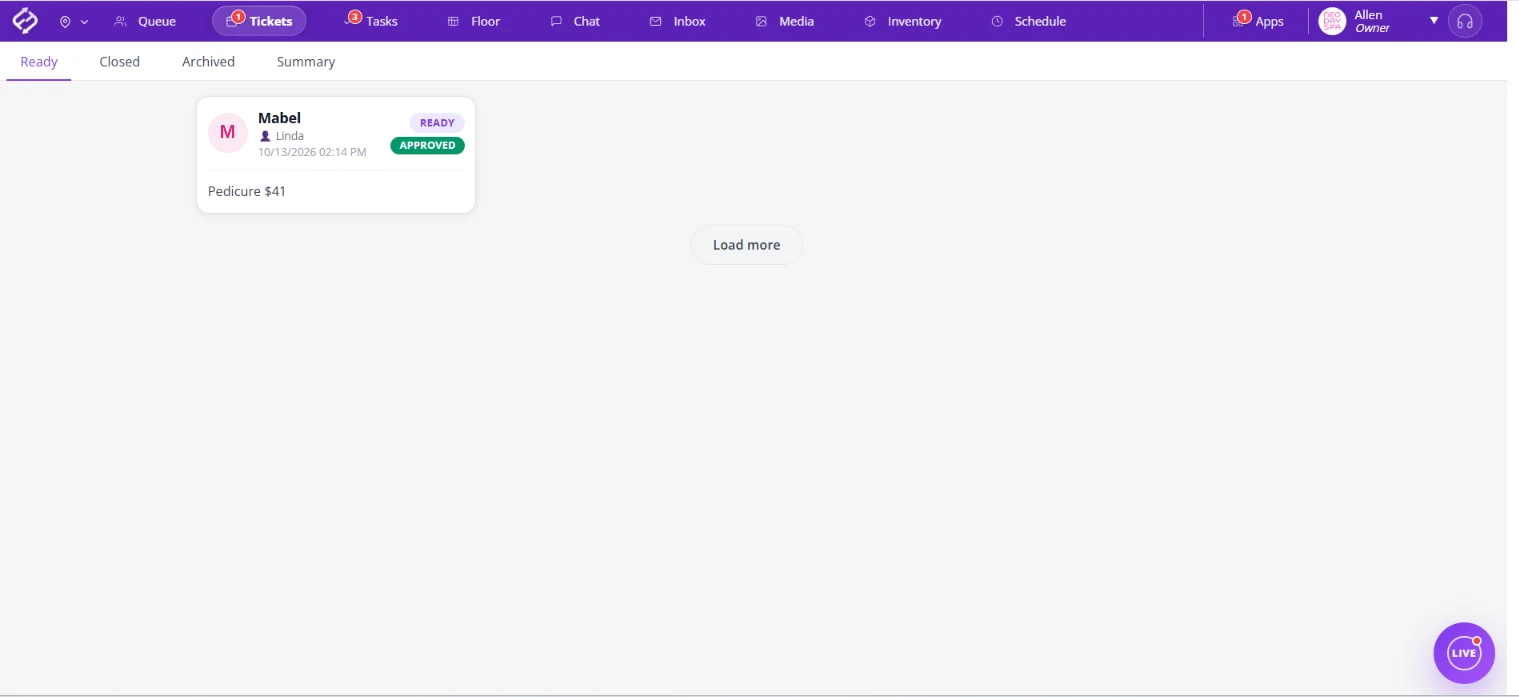
Many salon owners do not give technicians access to their booking software, even when it allows it. In most booking tools, the access that lets a tech add a service also lets them edit appointments. Add a service at the chair and the appointment gets longer, the next clients get pushed, and the calendar no longer matches the day. So salons fall back on paper tickets, and upgrades often reach the front desk without a price the client agreed to. No more paper ticket books: every service is logged on a digital salon service ticket.
Tickets gives your team a place to record their work that is separate from the booking calendar.
Your team logs their work in Fair Flow, so you never have to hand out logins to your booking system.
Adding a service on a ticket does not stretch an appointment or push the next clients later on your booking calendar.
Services, times and prices go on one clear ticket in place of the paper slip that gets lost or is hard to read.
Staff review the ticket so the services and prices are right before the client reaches the front desk.
The tech marks that they told the client the price, so an upgrade never turns into a surprise at checkout.
When the price was confirmed, it is on the ticket. When it was not, the front desk knows who to ask.
Mistakes happen. A ticket can be reopened and corrected instead of rewritten from scratch.
Tickets show what each service and product earns the staff member, based on their service and product commission rates.
Keep the booking and checkout software you already use. Tickets covers what happens on the floor.
In popular booking tools, the access a tech needs to record their work is usually the same access that lets them change appointments. Here is what each vendor's help docs say.
Based on each vendor's public help docs as of Oct 2026; features may change. Trademarks belong to their owners.
Fair Flow is not booking, POS, payroll or payments software. Tickets works alongside the booking and checkout tools you already use. Pricing is $99/month for the first location and $79/month for each additional location.
Running walk-ins too? See Queue.
Related reading: Salon service tickets, Salon front desk communication.
See tickets alongside the queue, floor requests and chat in Live, your front desk view of the whole floor.
No. Your team logs services in Fair Flow Tickets, so you can keep booking access with the front desk and managers. Their changes do not move appointments on your booking calendar.
Yes. Tickets gives each service a digital ticket in Fair Flow instead of a paper slip, with the services, times and prices in one place.
Before the client walks up to pay, the tech marks on the ticket that they told the client the price. Upgrades are priced in the chair, not discovered at the desk, and responsibility stays with the tech who did the service.
Yes. A ticket can be reopened when something needs to be corrected.
No. Fair Flow is not booking, POS, payroll or payments software. Tickets works alongside the booking and checkout tools you already use.
Yes. Each ticket shows what the staff member earns on each service and product, based on their service and product commission rates.
$99/month for the first location and $79/month for each additional location.
We will walk you through Tickets with your team and services in mind.