
One place for your content
All your salon's social media photos in one library, not scattered across phones.
Features · Media
Your team uploads photos of their work, you share them to Instagram, Facebook and more, and you always know which photo was posted where.
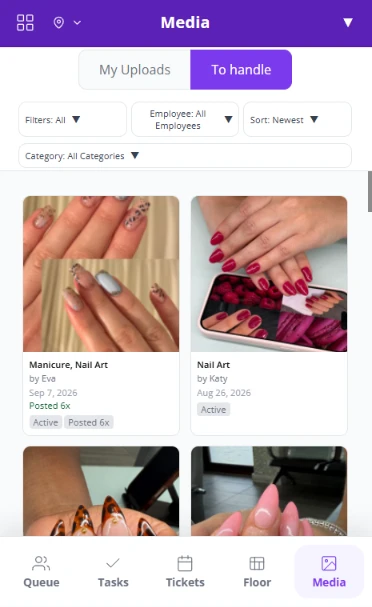
When every tech sends their photos to the owner's phone, content gets buried and nobody knows what was already posted. Media gives your salon one library for it all. Photos of your team's work become your salon's social media posts, ready to share.
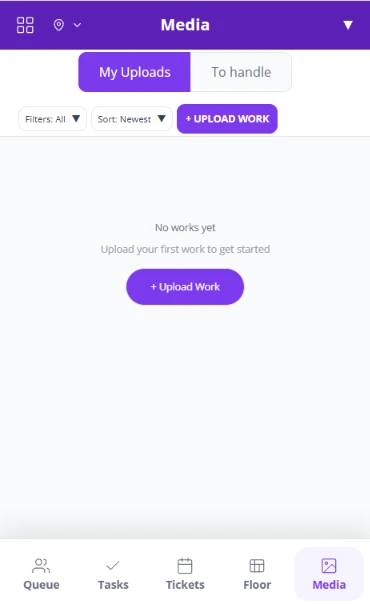
1. Staff upload
Techs upload photos of their work from their phone.
2. To handle
New uploads wait for the admin, ready to filter and review.
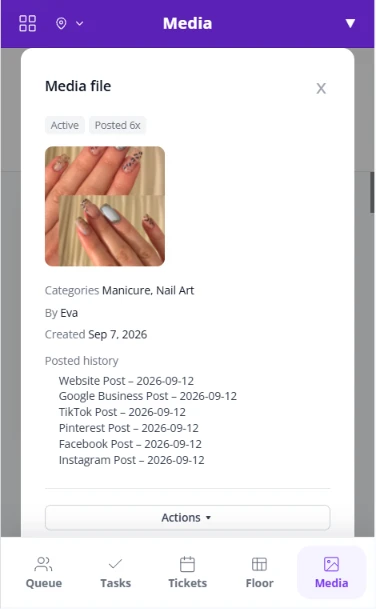
3. Share and track
Share it, then mark where it was posted.
All your salon's social media photos in one library, not scattered across phones.
No more dozens of photos sent to the owner's phone. Your team uploads straight to Media.
New uploads land in To handle, so you see what is waiting for you.
Admins can add their own photos to the same library.
Find photos by employee or category, and sort the library your way.
Share directly to Instagram, Facebook and other apps, or download to your phone.
Mark where each photo was posted, from your website and Google Business Profile to TikTok, Pinterest, Facebook and Instagram.
Delete what you do not need.
Fair Flow is not booking, POS or payroll software. Media works alongside the tools you already use. Pricing is $99/month for the first location and $79/month for each additional location.
See also Queue, Tickets, Tasks, Floor, Chat and Inbox.
Related reading: How to fill slow days at your salon.
They upload them to Media in Fair Flow instead of sending them to your phone. New uploads appear for the admin in To handle.
Yes. Share directly to Instagram, Facebook and other apps from Media, or download a photo to your phone.
Mark where each photo was posted, such as your website, Google Business Profile, TikTok, Pinterest, Facebook or Instagram. The posted history shows what went where.
Yes. Filter by employee and category, and sort the library.
No. Fair Flow is not booking, POS or payroll software. Media is your team's content library and works alongside the tools you already use.
Staff upload photos of their work to Media, so you pick posts from one place instead of collecting them on your phone.
$99/month for the first location and $79/month for each additional location.
We will walk you through Media with your team and your social channels in mind.