
The whole floor at a glance
Queue, Tickets, Floor requests, Chat and Notes, together in one live view.
Features · Live
Live is your salon front desk dashboard: the queue, tickets, floor requests, chat and shift notes at a glance, one click away from anywhere in Fair Flow.
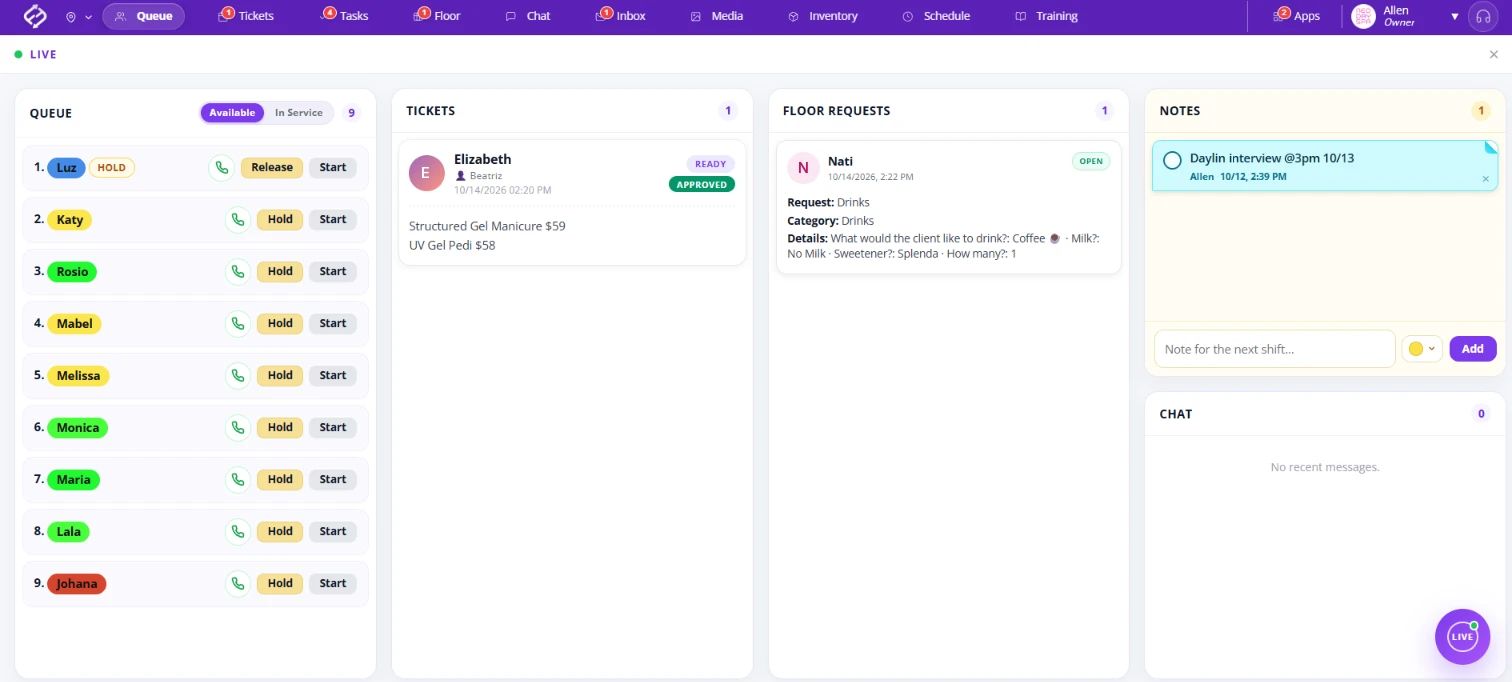
Live opens a view of everything happening on the floor: a shortcut to the Queue, Tickets, Floor requests, Chat and Notes. Teams keep Live open all day to see what is going on, without walking the floor to check.
No more sticky notes stuck everywhere around reception. Notes in Live are color-coded shift notes for the next shift and for the front desk, all in one place where everyone who needs them can find them.
See unread chats right in Live. Open a conversation in a popup, reply right there, and jump to the full chat whenever you need it, all without leaving the floor view.
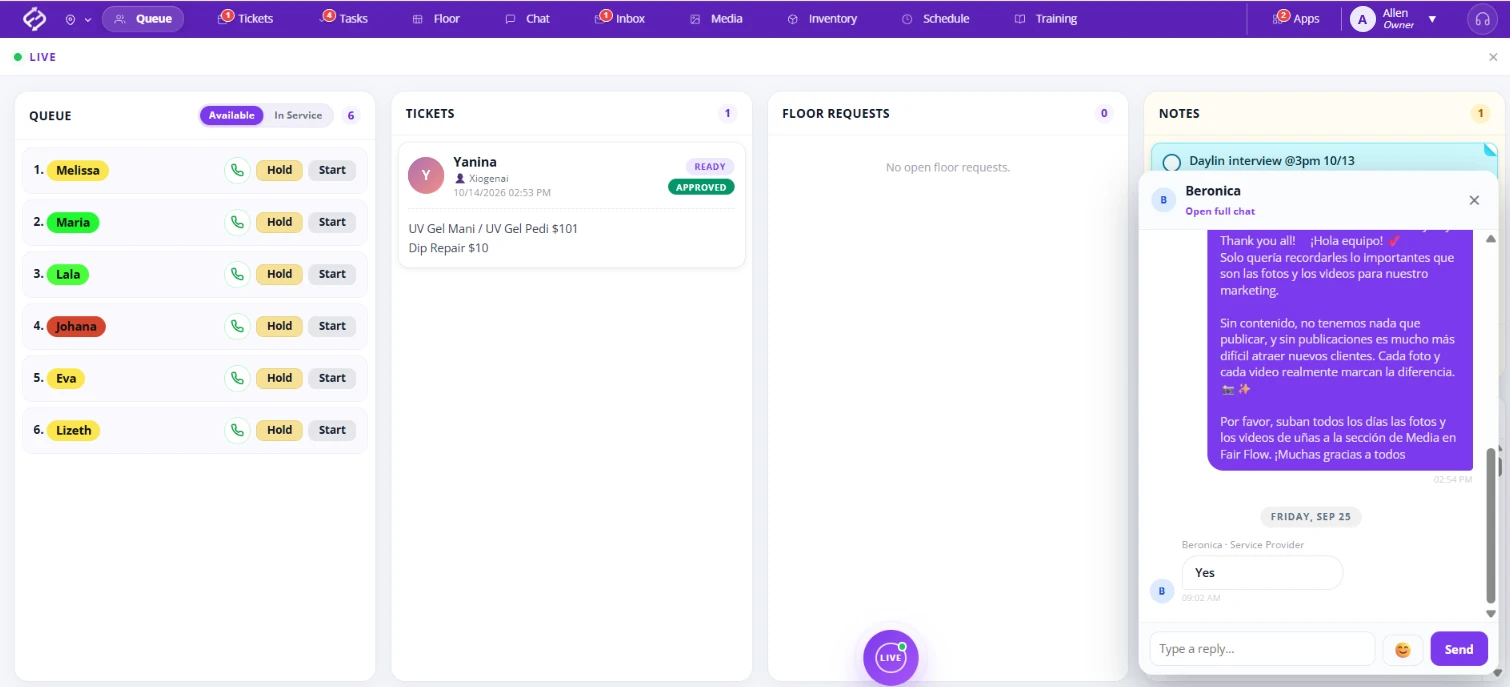
The Chat panel in Live shows your conversations and how many are unread, so the front desk can answer the team without switching screens.
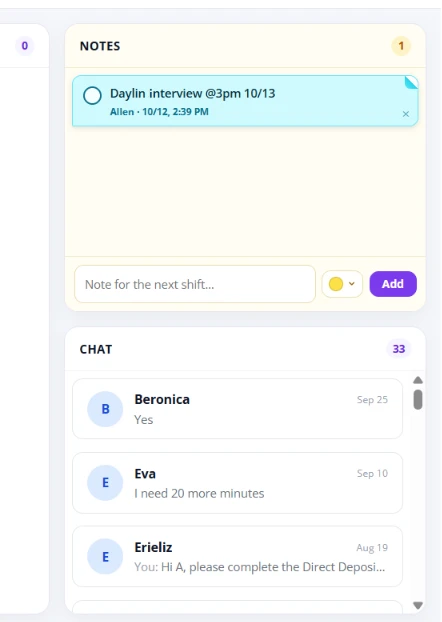
Queue, Tickets, Floor requests, Chat and Notes, together in one live view.
Reception sees what is happening on the floor without walking around to check.
Color-coded notes replace the sticky notes stuck all over the front desk.
Leave notes for the next shift and for reception, so nothing gets lost between shifts.
A floating button you can place anywhere on the screen, across the whole app.
You decide who sees Live. It is built for computers, on desktop and web.
Fair Flow is not booking, POS, payroll or payments software. Live brings your floor together on one screen and works alongside the tools you already use. Pricing is $99/month for the first location and $79/month for each additional location.
See also Queue, Tickets, Floor and Chat.
Related reading: Salon front desk communication.
A live view of your whole salon floor at a glance: the Queue, Tickets, Floor requests, Chat and Notes, together in one place.
Only the people you choose. Live is for computers, on desktop and web.
Yes. Notes in Live replace the sticky notes stuck around the front desk, with color-coded notes for the next shift and for reception.
Yes. Open any chat right from Live and reply in a popup, without leaving the floor view.
No. Live is a floating button you can move anywhere on the screen, and it is there across the whole app.
No. Fair Flow is not booking, POS, payroll or payments software. Live works alongside the tools you already use.
$99/month for the first location and $79/month for each additional location.
We will walk you through Live with your front desk in mind.