
One place for every request
Staff send requests to their manager in one organized inbox, not across WhatsApp, paper and email.
Features · Inbox
Time off, schedule changes, pay and tip questions, missing supplies, documents: your team sends requests to one place, and managers approve, ask for more info, or decline.
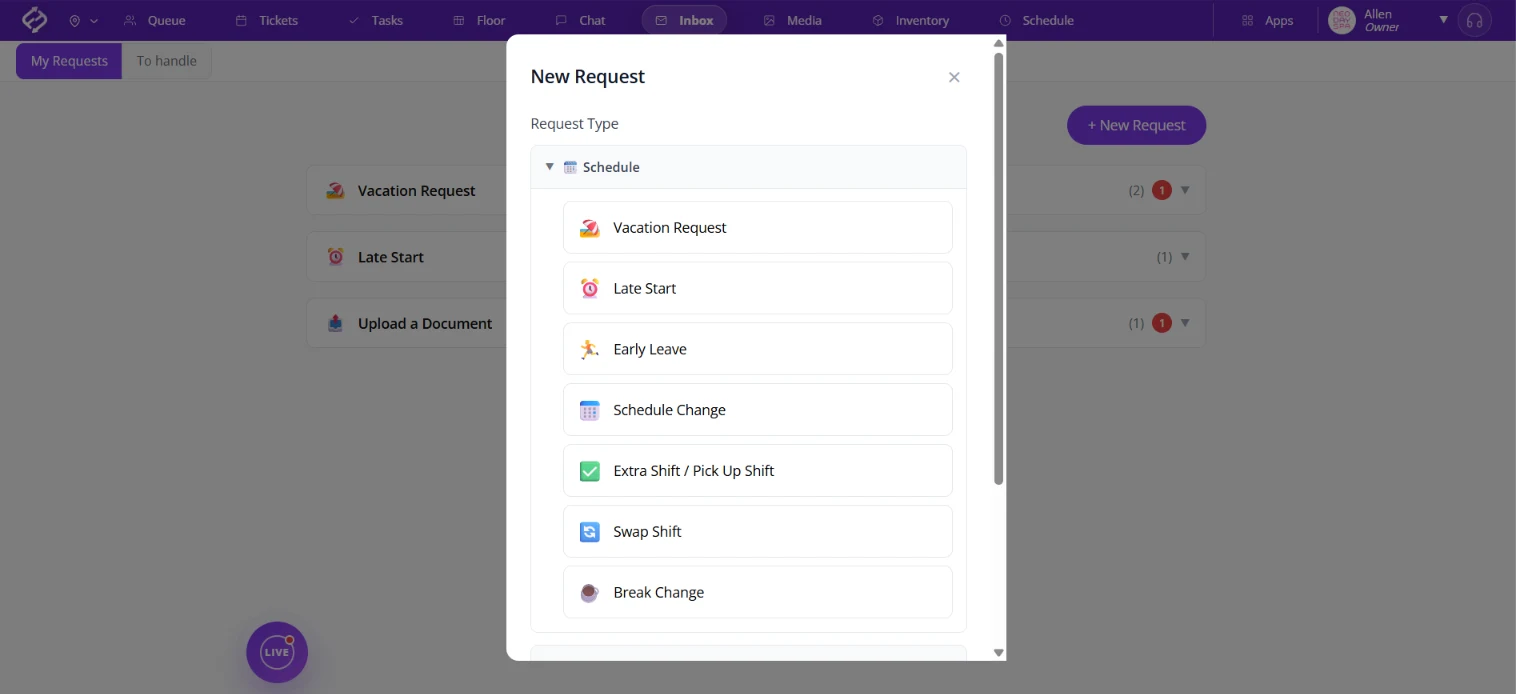
When requests arrive by text, on paper and by email, they get mixed up and nobody knows if a message arrived. Inbox gives your team one organized place to ask, and gives managers one place to answer. Time off requests, license expiration reminders and missing supply requests all arrive in the same place.
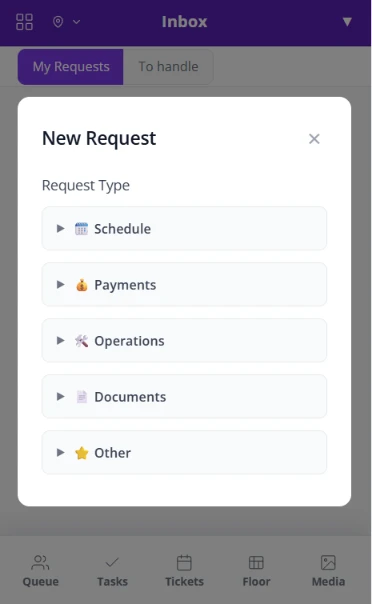
From the phone or the front desk, staff pick the kind of request and send it to their manager.
Staff send requests to their manager in one organized inbox, not across WhatsApp, paper and email.
Every request has a clear answer, so nobody wonders if it arrived.
Vacation, a late start, leaving early, a schedule change, an extra shift, a shift swap or a break change.
A clear place for questions about pay, tip adjustments or a payment issue.
Report a missing supply from your salon's supply list, connected to Inventory, or flag a client issue.
Staff upload documents like a license with an expiration date. You get a reminder 30 days before it expires.
Managers answer each request in a tap: approve it, ask for more info, or decline.
Approved schedule requests block the time on the Fair Flow Schedule automatically. No manual tracking.
An alert arrives 7 days before a team member's birthday, so it never slips by.
Fair Flow is not booking, POS, payroll or payments software. Inbox handles staff requests and works alongside the tools you already use. Pricing is $99/month for the first location and $79/month for each additional location.
See also Queue, Tickets, Tasks, Floor and Chat.
Related reading: Salon employee request management, Salon employee license tracking.
Schedule requests like vacation, a late start, leaving early, a schedule change, an extra shift, a shift swap or a break change; pay and tip questions; operations requests like a missing supply or a client issue; documents such as a license; and anything else.
Approve it, ask for more information, or decline it.
Yes. When a schedule request is approved for someone on the Fair Flow Schedule, that time is blocked on the schedule automatically, so there is nothing to track by hand.
Yes. Staff upload documents with an expiration date, and a reminder arrives 30 days before it expires so you can ask them to renew.
No. Fair Flow is not booking, POS, payroll or payments software. Inbox handles staff requests and questions, and works alongside the tools you already use.
Staff send a time off request through Inbox, and their manager approves it, asks for more info, or declines it. Approved time off is blocked on the Fair Flow Schedule automatically.
$99/month for the first location and $79/month for each additional location.
We will walk you through Inbox with your team in mind.