
A Salon Turn Tracker That Keeps the Walk-In Rotation Clear
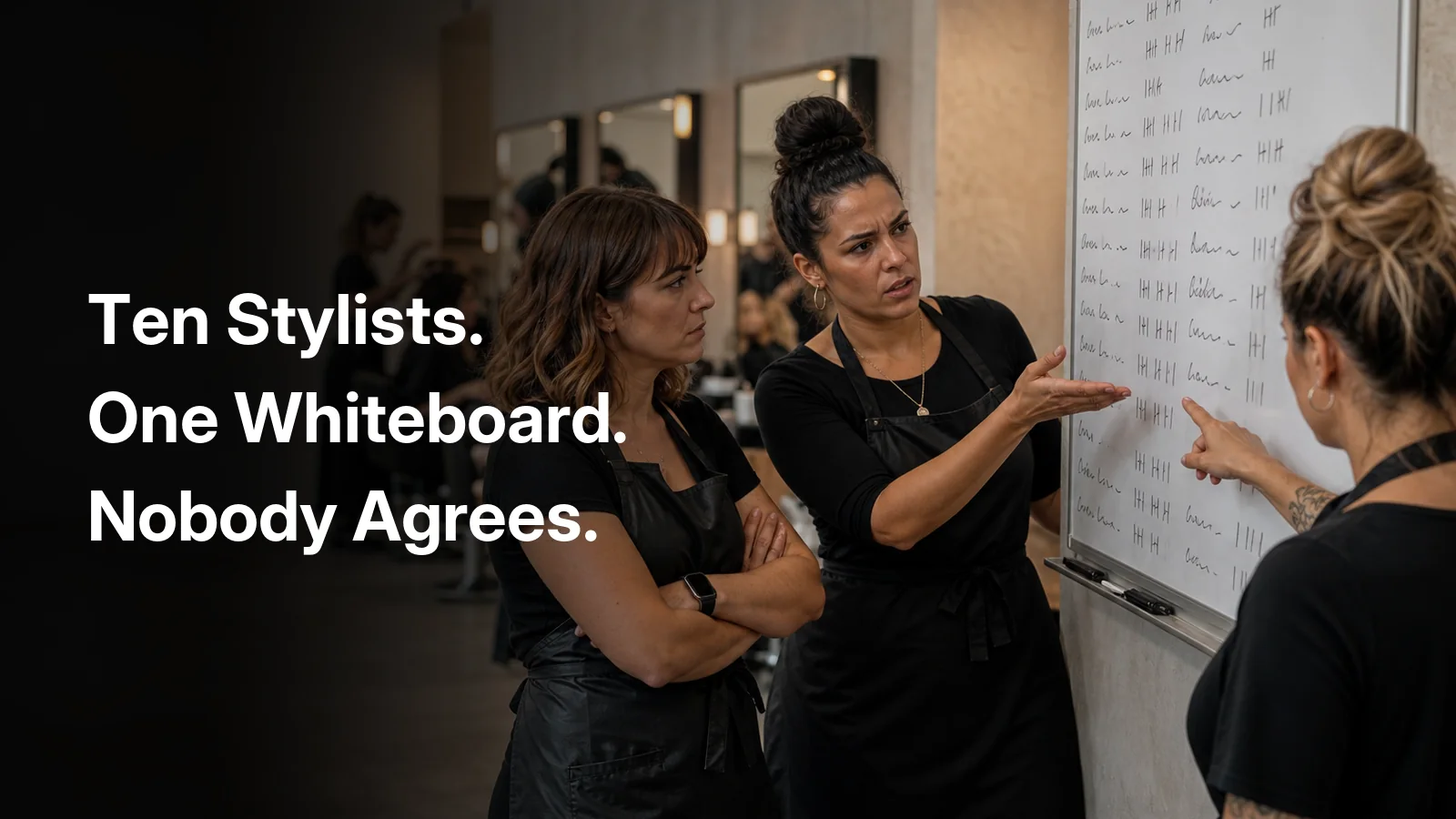
Saturday opens the same way it always does. The first technician in the door writes her name at the top of a lined sheet taped to the reception counter. The next two add theirs. Someone moves the paper to make room for a coffee cup. By 10:40 it has a water ring through the third name, and by 11:15 nobody can find it at all, it went out with a stack of used tickets, or it is under the appointment book, depending on who you ask.
A walk-in is standing at the desk. Two people are sure they were next. A third is with a client and still on the list. The person who wrote the names down is in the back mixing colour. There is no record to check, so the floor does what floors do: argue, then guess.
A paper list only knows whose name is next. It cannot tell you who is free, and it cannot tell you who can do the work standing at the desk.
What is a salon turn tracker?
A salon turn tracker manages the order in which employees receive walk-in clients. It is a salon staff rotation you can see, not a memory you have to defend.
It is not your appointment calendar. The calendar answers who is booked. A turn tracker holds the staff order for people who were not booked.
It is not a customer-facing waitlist. A waitlist orders clients and tells them when they might be seen. A salon turn system orders your team. Clients do not need to see that board, and in Fair Flow they do not.
Used well, it is walk-in salon queue software for the people running the floor: reception, managers, and the staff waiting for the next chair.
Why “who is next?” is not enough
Salon services are not interchangeable. Acrylic is not a pedicure. Colour is not a facial. A massage therapist at the top of a mixed list cannot take the walk-in who asked for a fill.
Here is a hypothetical example, not a Fair Flow outcome. One employee is next in the rotation. A walk-in asks for a service that person does not perform. A useful tracker would help the desk find the next person who is both available and able to do that work, without quietly punishing the person who could not take that particular job.
Fair Flow currently provides technician-type filtering. It does not automatically match a requested service to the next employee, and it does not skip the person at the top for that reason.
A generic first-in, first-out queue fails that test. So does a paper list. Both can tell you a name. Neither knows whether that name is free, or whether they can do the service.
That is the gap skill-based staff rotation is trying to close: not a smarter list of names, but a rotation that can see availability and capability at the same time. Fair Flow currently covers the availability side and technician-type views. Matching the exact requested service is still a front-desk decision.
What a salon rotation system must understand
If you are choosing walk-in rotation software, these are the moving parts a busy floor actually hits. Some of them Fair Flow implements. Some of them are still a house rule, and we will mark the difference.
- Rotation order. Who joined, in what sequence, and who returns to the end after a service.
- Availability. Someone with a client is not available for the next walk-in. Breaks and holds should not silently delete a person from the board.
- Technician type. Nail, wax, facial, massage, hair, mixed floors are several rotations sharing a room.
- Service capability. A good system should know more than a job title. Matching a specific requested service, automatically, is a higher bar than filtering a board by type.
- Walk-ins versus appointments. Appointments belong on the calendar. The tracker is for the walk-in rotation. They should not be confused with each other.
- Skips, holds and manual changes. Real floors override the list. Those overrides should be visible later.
- History. A fairness argument in October is about a pattern, not about one Saturday morning.
Fair Flow records join, start, finish, hold, release and reorder in a history log. It stores technician types on staff and can filter the available list by type. It does not automatically skip a person because of a requested service, and it does not write a reason onto the board when someone is passed over. Appointments and the time clock do not move the queue on their own.
Paper list vs digital salon turn tracker
| Paper rotation list | Digital salon turn tracker |
|---|---|
| Can be lost or damaged | Shared live view on staff screens |
| Depends on memory | Recorded order, with a history of changes |
| Shows names only | Shows who is available, who is in service, and can filter by technician type |
| Changes are difficult to trace | Join, start, finish, hold and reorder can be recorded |
| Creates arguments | Creates a consistent process the floor can see |
A shared board does not make a salon perfectly fair. It does stop the argument from being “I thought I was next” against “I thought you were.”
How Fair Flow handles the rotation
Fair Flow’s queue is the product surface behind this. Staff call it the turn tracker on the floor. In the app it is a staff queue with two columns: Available and In service.
- A technician joins the available list. Joining requires permission and at least one technician type, and it is confirmed with a PIN.
- The available list is numbered. That order is the walk-in rotation everyone on staff can see.
- When a staff member takes a client, someone taps Start. They leave Available and appear under In service.
- When the service is finished, Finish sends them to the back of the available list.
- Hold parks a person in their current position, lunch, a phone call, stepping off the floor, without dropping them to the end. Release brings them back as available in that same spot.
- Managers with reorder permission can move people up or down. Those moves are logged.
In Fair Flow, next means badge 1 on the numbered Available list in the current view, not an automatic service match.
Fair Flow currently lets the team filter the queue by technician type. It does not yet read a walk-in’s requested service and automatically choose or skip an employee. The front desk still makes that service-fit decision using the appropriate technician-type view.
Fair Flow is not a client-facing who is next salon app; clients never see this list. A manager or receptionist can still start someone further down. The software does not invent a walk-in assignment; it keeps the staff rotation honest while the desk runs the floor.
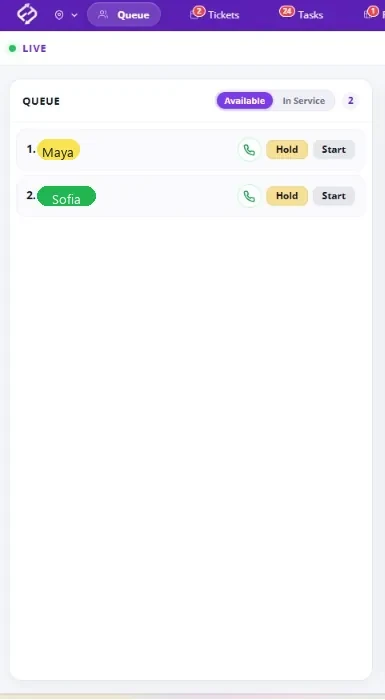
Filter chips sit above the live queue so you can look at one technician type at a time. They are not in the screenshot above. That filter is how a mixed floor avoids treating a wax walk-in as if they belong to whoever happens to be at the top of a combined board. It is a filter on one queue, not four separate hidden rotations, and the desk still chooses who to start.
The same live view is what we mean by salon queue management: one walk-in rotation, visible inside the salon, instead of a clipboard that only reception can see.
Why service fit still matters
This is where hair salons, nail salons, spas and multi-service shops diverge from a barbershop where everyone does the same cut.
A nail salon turn tracker has to live with specialties. One person may do fills and not pedicures. Another may do gel and not acrylic. If your technician types are set up that way, filtering the board is useful. If they are not, if “nail technician” covers everyone, the desk still has to know who actually takes which service. Fair Flow does not read the walk-in’s request and skip down the list for you.
Spas and mixed med-spa floors hit the same shape with massage, facial, wax and body work. Hair floors hit it with colour versus cuts. The principle is the same: the next name is only useful if that person can do the work and is free to do it. In Fair Flow, that service-fit check is still made at the desk, using the numbered Available list and, when it helps, a technician-type view.
Treat acrylic, pedicure, colour, massage and facial as illustrations, not as a required Fair Flow setup. Each salon maps services to technician types differently.
Fairness without arguments
The operational win is quieter than marketing usually admits.
The floor shares one source of truth. Reception is not carrying the rotation in her head. A hold is visible instead of a name that is on the list but not in the building. Managers can look at the board without walking every station. When someone says they were skipped, you have a history of starts, finishes, holds and reorders to look at rather than a washed-out piece of paper.
That does not guarantee even turn counts, and it does not promise that nobody will ever feel slighted. It does make walk-in handling consistent enough that the front desk is applying a process instead of improvising under pressure.
What Fair Flow’s turn tracker does not do
Honesty is part of the product.
- It is for walk-ins, not client appointment booking. Keep the booker your clients already use.
- It is an internal staff queue. Clients do not see their position.
- It does not replace payroll or POS, and it does not process payments.
- It does not auto-assign a walk-in based on the service they asked for.
- Clocking out, going on break in the time clock, or having an appointment on the calendar does not automatically pull someone off the available list. Hold is a queue action, not a clock event.
- There is no skip button and no on-screen reason that someone could not take a service.
Appointment-first platforms are built around a different job. Booksy’s waitlist orders clients, not staff. Boulevard and Mangomint are strong on the booking and client side; a staff walk-in rotation is a separate problem. Plenty of salons run a booker and a turn tracker together, which is the point of salon walk-in management software that does not try to replace the calendar.
If you want the rotation on a screen the whole team can see, book a 15-minute demo. Pricing is one page: $99 for the first location and $79 for each additional one.